branches: front
Clone
clone: git://shithub.us/halfwit/task gits://shithub.us/halfwit/task
push: hjgit://shithub.us/halfwit/task
patches to: michaelmichae1985@gmail.com
Last commit
95ef1b22
– Michael Misch <michaelmisch1985@gmail.com>
authored
on 2025/04/22 06:22
Small updates:
About
## Task files
# A synopsis of the task
[ ] some item
[ ] some other item
[x] some finished item
- /path/to/myproject/2
## Commands
(See [this post](https://hlfw.ca/blog/2024-08-24-more-setup.html) for inspiration, and further integration.)
`task/add` - manage or add a task to the graph, usage is similar to git/commit. The hold editor will be used by default, ctrl+d is used to signal completion. `-c $tag` is used to change an existing task. Passing `-e` will use your default editor instead of hold mode. Any args afterwards will be passed along as the `synopsis` for the task.
`task/rm` - removes a given completed task. With `-f`, all matching tags are removed. With `-a`, all completed tags are checked for removal.
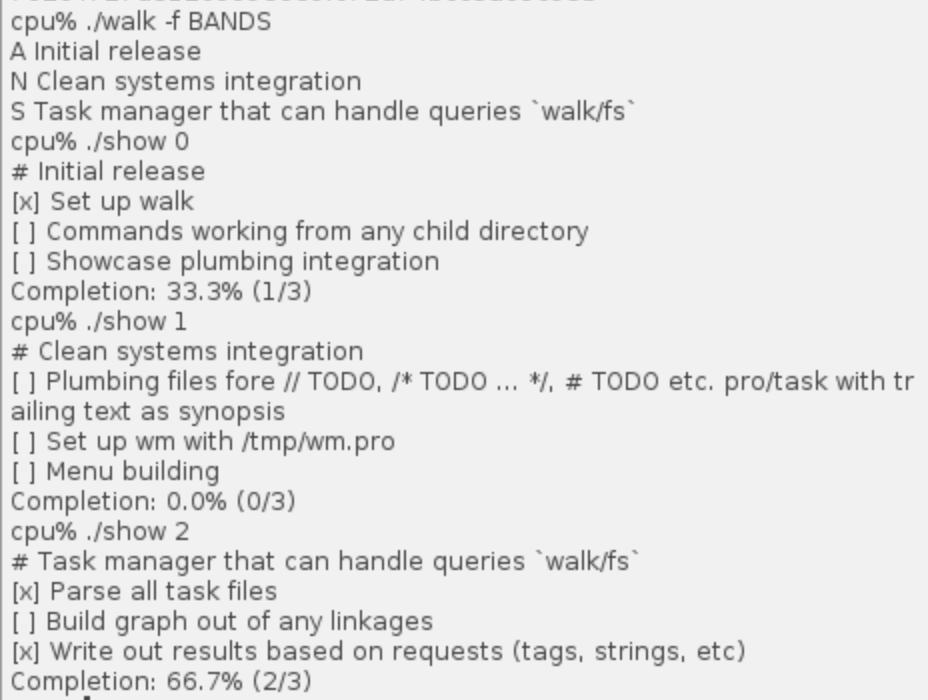
`task/walk` - shows the status of tasks in the graph. It prints a list of tasks prefixed with the status character. The -c flag disables printing the status characters. The -q option suppresses all output. The -f option filters tasks by status, and only matching items are printed. By default, the filters are DNS.
`task/mark` - to be ran with via plumber rules. It takes the path to the project, and a string like `[ ] some checklist item` that exists in one of the tasks. This will swap it to `[x] some checklist item`. This assumes that all subtasks in your `.task` dir will be unique
The task status characters are as follows:
- A This task has been attempted, but is blocked
- B This task has not been attempted, and is blocked
- D This task is completed
- N This task has not been attempted
- S This task has been attempted
*Blocked tasks have a child task that requires completing before they can be completed
`task/show` prints a formatted task to stdout, when passed -r it will print the raw task file
## TODO
- The work to be done is in the `./todo` files!